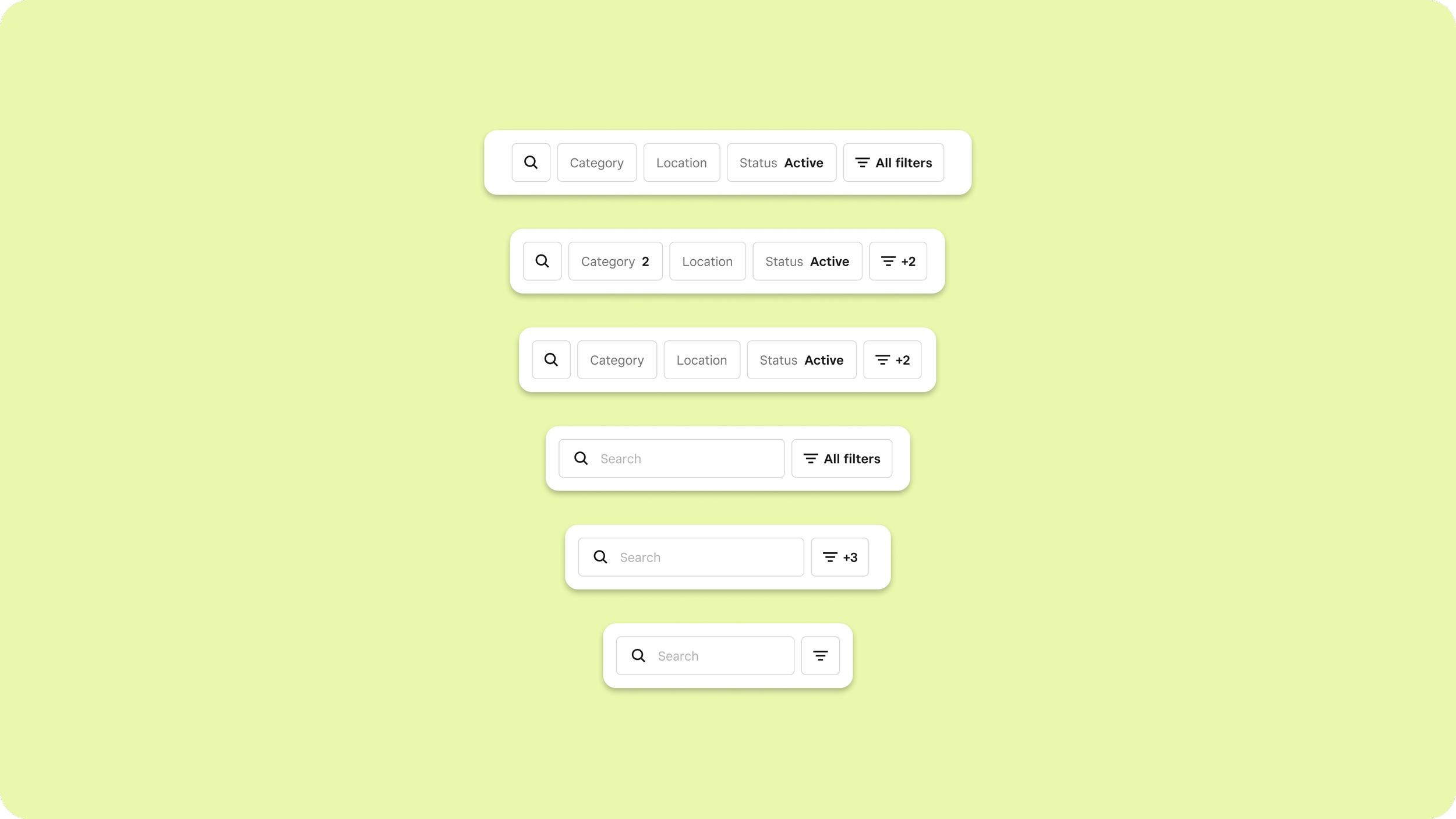
Filtering
The problem
When Square acquired Weebly and rebranded their product as Square Online, the two catalog systems stayed separate under the hood, connected by a sync that worked (mostly).
The goal was to deprecate Weebly's catalog and move omnichannel sellers fully onto Square's, but sellers had to actually want to make that move. Weebly had 14 filters that Square's catalog didn't — which meant a task like “discount all my items I’m selling on TikTok” could take three minutes in Weebly, or three hours in Square. It wasn’t hard to see why sellers weren’t going to move unless we supported those filters.
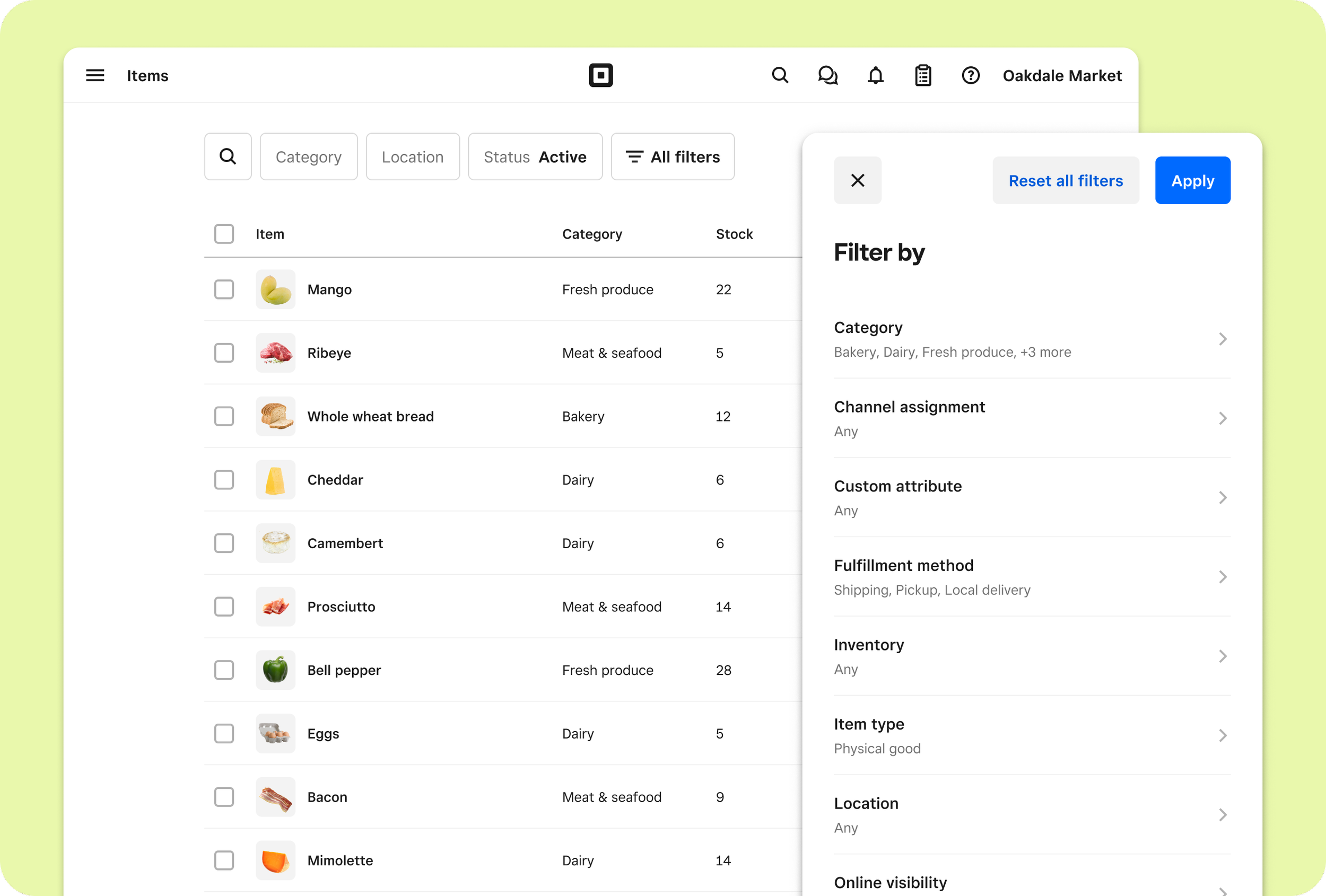
The filters in the Item Library and the filter blade
My role
As the sole designer on this project. I worked with product managers, front- and back-end engineers, the design system team, and designers from teams who'd eventually be contributing their own filters to the interface.
Discovery
Discovery had three core goals. I needed to understand:
Market’s (our design system) filtering documentation.
How filters were currently implemented throughout Square Dashboard
The data model the filters would be using
Market was component-rich but pattern-light, and discovery uncovered a gap in our pattern guidelines. An existing filter pattern covered responsive overflow, but not a large, growing filter set. A modal was used for filters that couldn’t fit on the main UI, but if a user wanted to use both exposed and hidden filters, there was a lot of clicking back and forth. I proposed a blade-based approach for a dedicated filtering UI that included all available filters.
The design system team pushed back, citing the existing pattern as “established in the product.” Because I had been cataloging how filtering was being approached in Dashboard, my intuition was that very few surfaces were adhering to the pattern correctly.
I conducted an audit, and only 12% of filter implementations across the product were using it as intended — the rest were improvising their own dedicated filter UIs. Reframing the conversation, I proposed owning the solution: define the pattern, document it, and contribute it back to the system.
In addition to my work on how filtering would fit into the broader Square system, I worked closely with the engineers migrating the data that would be used for the filters, and understand how the data model would impact the filtering UX.
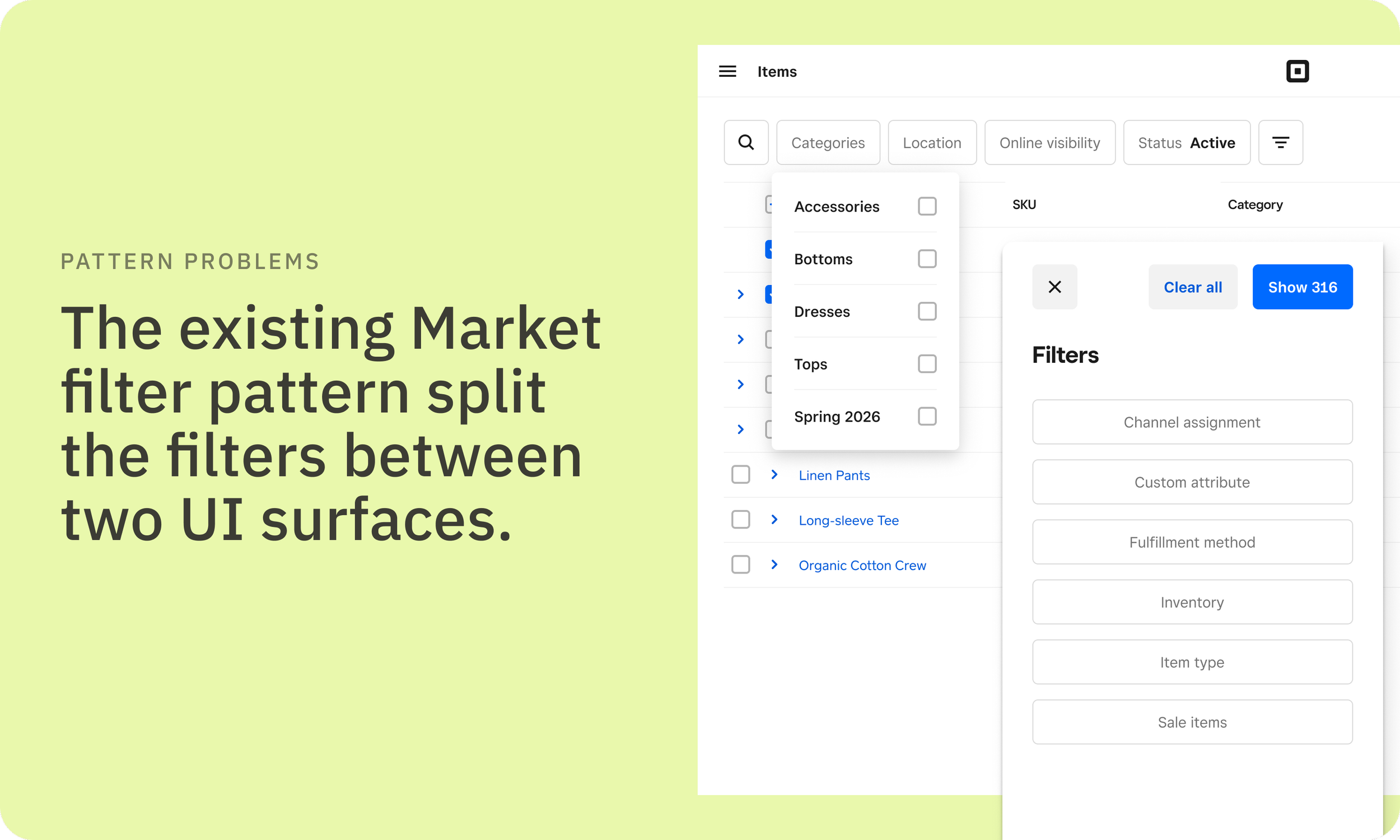
An example of how filters were split between the parent UI and the blade in the current filtering pattern.
The solution
A blade-based filter pattern that gave sellers a dedicated filtering interface — flexible enough to handle a quick single-filter application or a more complex multi-step interaction, and built to scale as teams contributed new filters over time. The pattern shipped with documentation so teams could understand how it worked and contribute filters independently.
The impact
Sellers that had previously cited lack of filter support as blocking their move from the Weebly Catalog migrated to the Square catalog.
Three other teams implemented the new filter pattern in the UI they owned. Additionally, four new filters have been contributed to the Item Library without needing design support — a good sign the documentation held up in practice.